< Return to Project Page

LED Sweater
ES50 was an introductory course into the exciting and useful world of electrical engineering that empowered me with the ability to build and program projects that sense and actuate the physical world around me!
The Final Project Task
We had about 4 weeks and a small budget to propose, design, build, and program complex systems using our acquired skills from the course. We then presented our projects at the engineering and design fair that was open to the public.
Project partners were Kade Kelsch, Nafanua Fitisemanu, and David Garcia.
Introduction
For most electrical engineers, the first thing they ever do in the lab is light up an LED. We wanted to take this classic project and expand it. While LEDs are quite simple to use, we knew this project would help us learn about image processing, Arduino, and MATLAB. Overall, we wanted a final project that met three criteria:
- a fun project to implement and show off
- demonstrate our engineering and problem-solving ability
- teach us something beyond the course so we could improve our engineering skills
Design
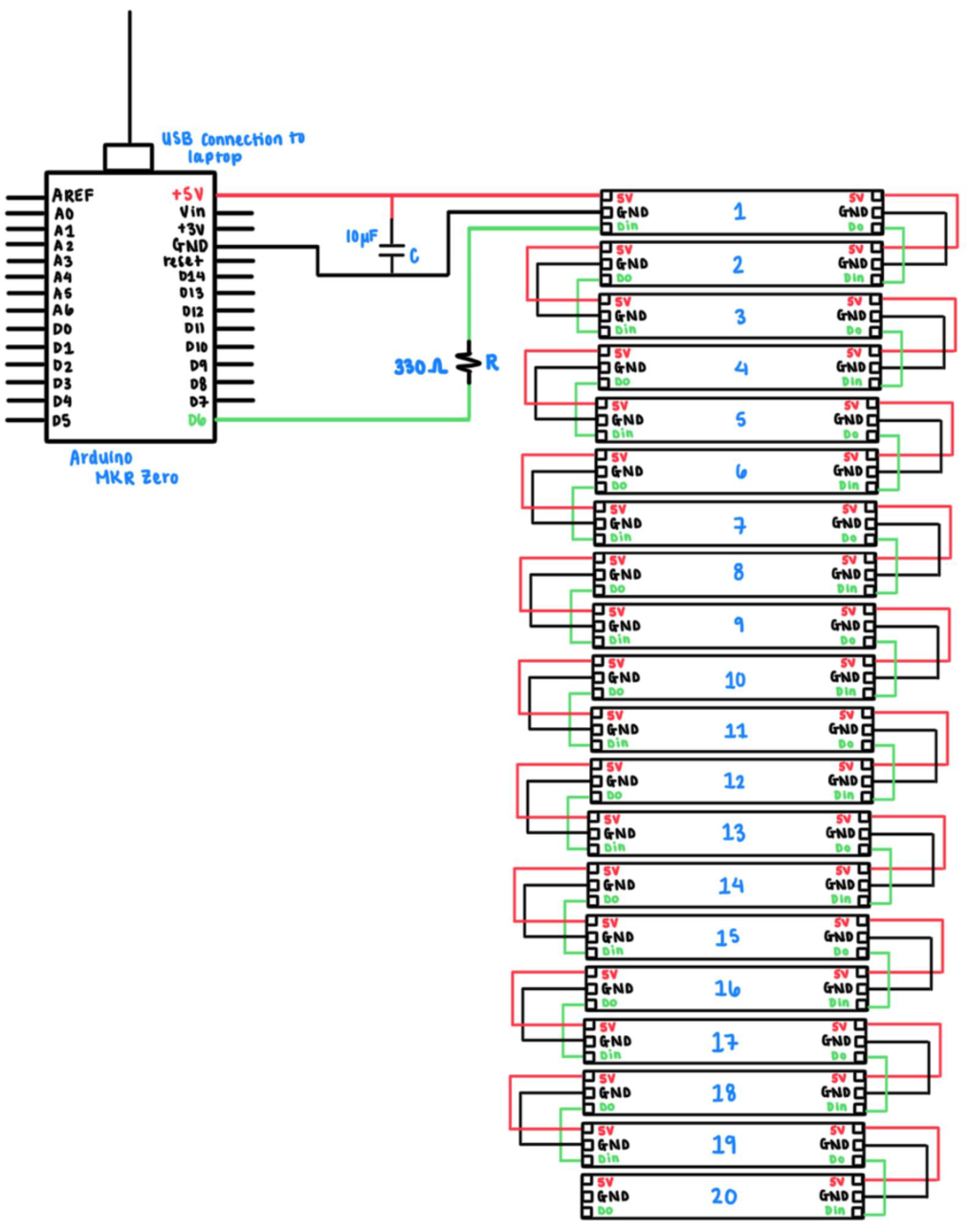
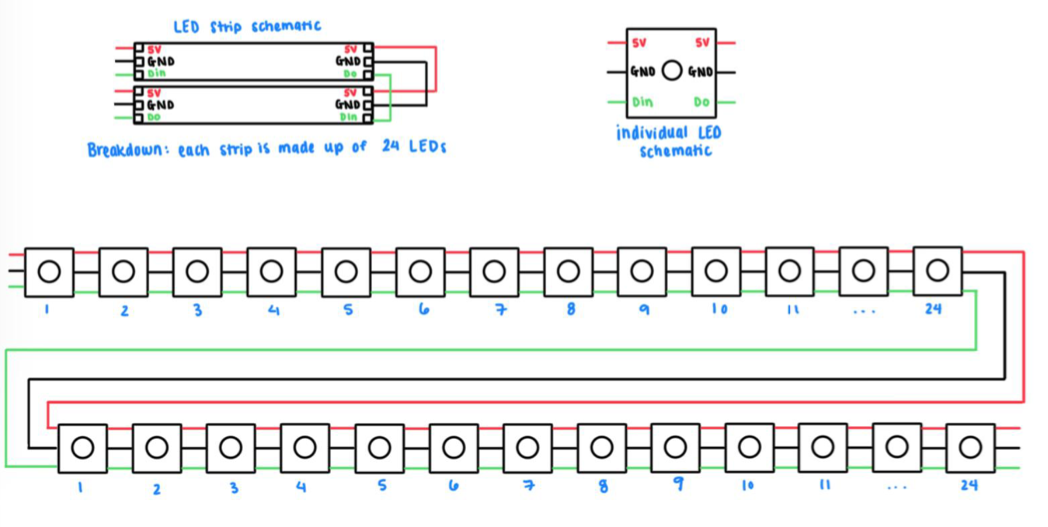


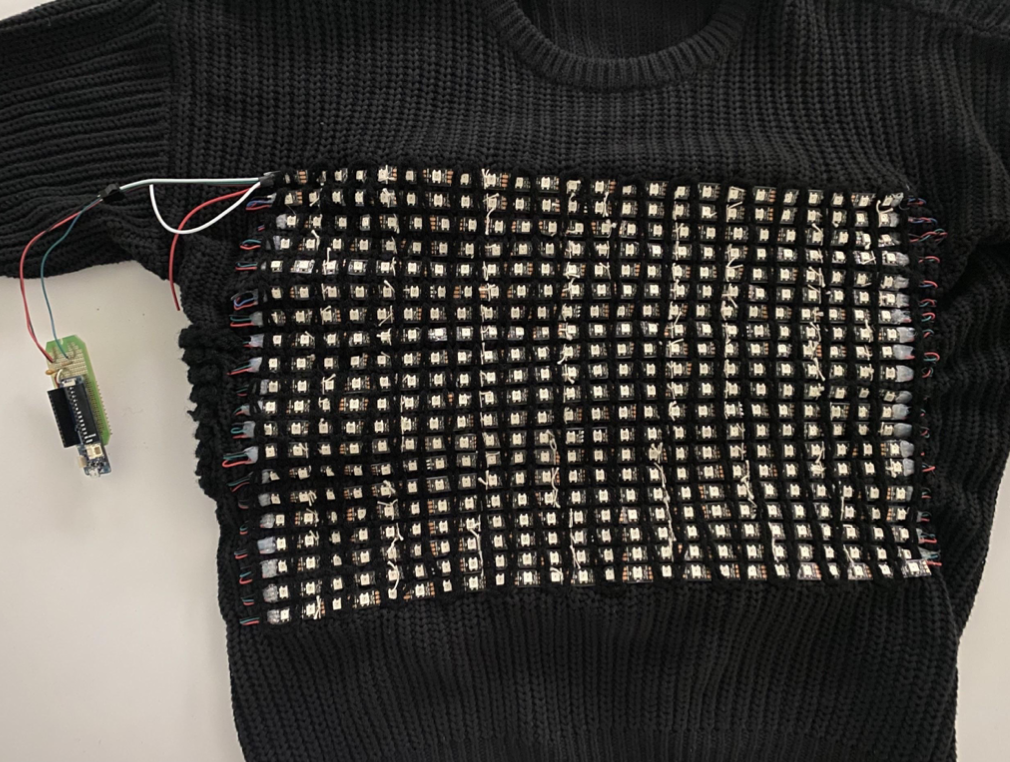

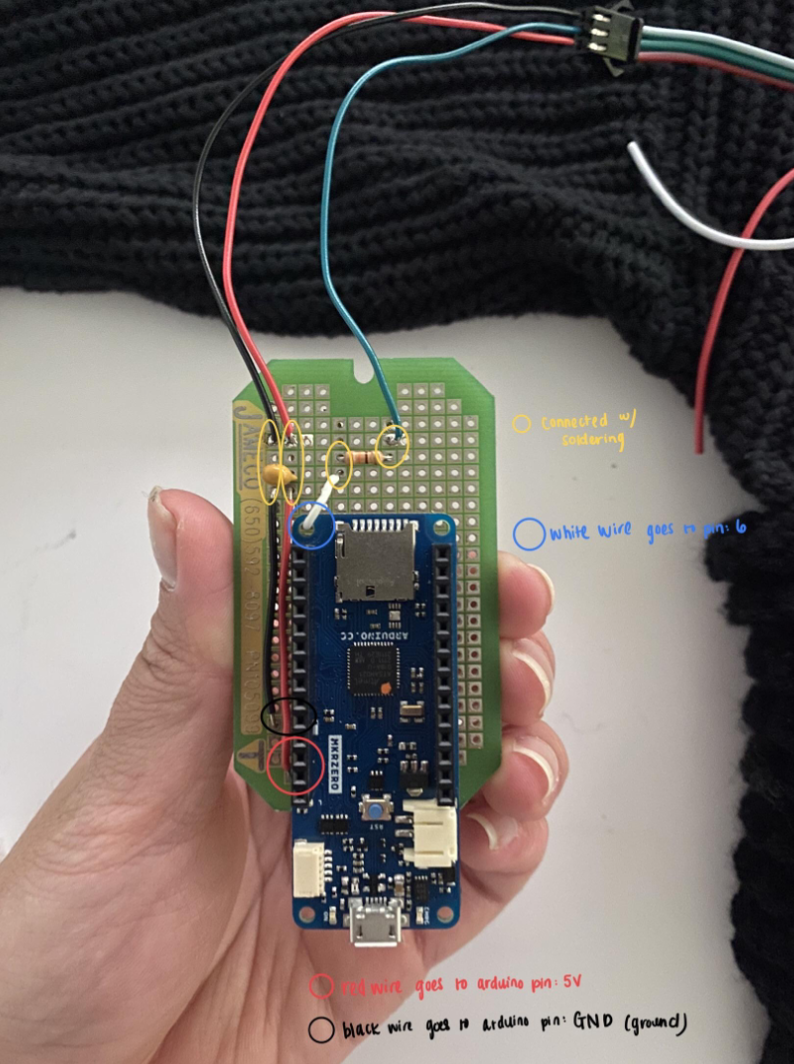
The images to the left illustrate our circuit design for the sweater and the materials used to create it.
Overall our circuit consisted of 20 LED strips. Each strip has 24 LEDs which has our circuit at a total of 480 LEDs.
To create our image matrix, we attached shortened strips of LEDs in an array on the front of the sweater. We then soldered the strips together to be read through Arduino as a long list of LEDs.
Code
In order to display images on our sweater through Arduino code, we had to create txt files of each image which included a list of 3 variables, RGB values ranging from 0 to 255, which represented the color of each LED through Matlab and then copy and paste that list into our Arduino code. We also had to install the “FastLED” Arduino library in order to control all the LEDs from our arduino.
As we tested the images on our sweater, we saw a variety of colors which made it difficult to identify what the image was. In order to combat this issue, we used color compression which allowed all similar colors to round to one uniform color, making it much easier to identify what the image was.
Final Product
You can see our final product in action in our team video!
 themiawright.com